External storage devices like flash drives or hard drives are so convenient for carrying data between computers. Just plug and play, as they say. But did you know it's not the same for when you unplug your drives? Here's how to safely remove external drives from your Windows computer.
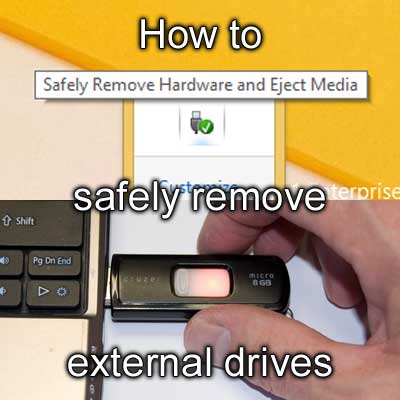
Recently I was at a customer's location repairing her computer and needed some files from one of my USB flash drives. When I was done, I went through the process of ejecting the USB drive from her computer. She was surprised that I didn't just pull the flash drive out. You can, most of the time, unplug a USB device like a mouse or printer without having to do anything to your Windows-based computer. It's only when you have a storage device, like a flash drive or external hard drive, that you have to take an extra step to remove the device safely.
What is write caching?
By default, Windows enables write caching on storage devices for better performance, whether internal or external. Write caching allows programs to write to the device and continue without waiting for the data to be written. By properly ejecting a storage device, you ensure that the cache is getting written to the device before you disconnect it.
How to safely remove external drives
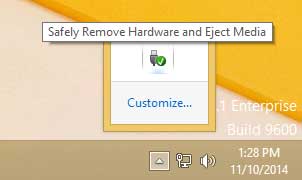
- Left-click on the Safely Remove Hardware icon on the Taskbar.
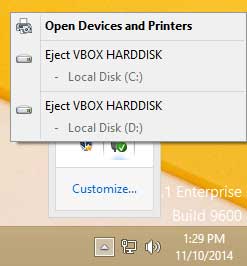
- Left-click on the device you want to disconnect.
or
- Open File Explorer (Windows logo key
 + E).
+ E).
- Under This PC / Computer, right-click the drive you want to disconnect and select Eject.
Windows will display a notification when it's safe to disconnect the drive.
86ea9054-ab67-40f3-9298-1f46f916c865|0|.0|96d5b379-7e1d-4dac-a6ba-1e50db561b04