Have you ever started Windows 10, and the only thing that appeared was a black screen with a white cursor? Here is how to get the Windows 10 Graphic User Interface (GUI) to appear.
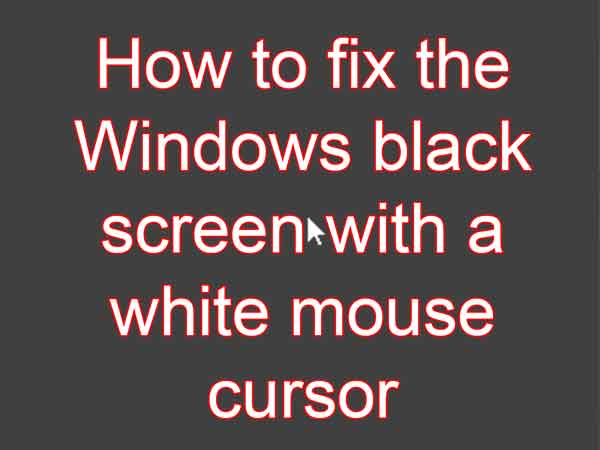
Usually, when you log in to Windows 10, the Start menu, Taskbar, and the Desktop will appear with all of your favorite icons. But there may be a time when all that appears is a black screen with a white mouse cursor.
What has happened is the GUI has failed to load. And believe it or not, it is the File Explorer. But getting a GUI to appear is easy.
How to get the Graphic User Interface (GUI) to appear in Windows 10
- Press CTRL + ALT + DEL at the same time. This will bring up the Windows 10 lock screen.

- On the Windows 10 lock screen, left-click on Task Manager.
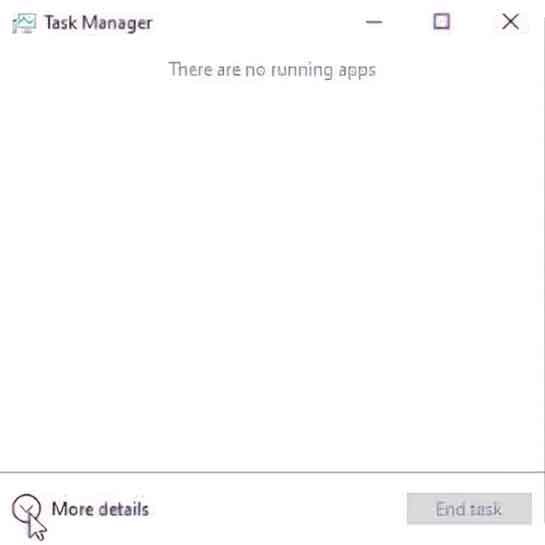
- If when Task Manager appears, there is nothing showing but a message that says There are no running apps, left-click on the arrow next to More Details in the lower left-hand corner. Task Manager will now show all details.
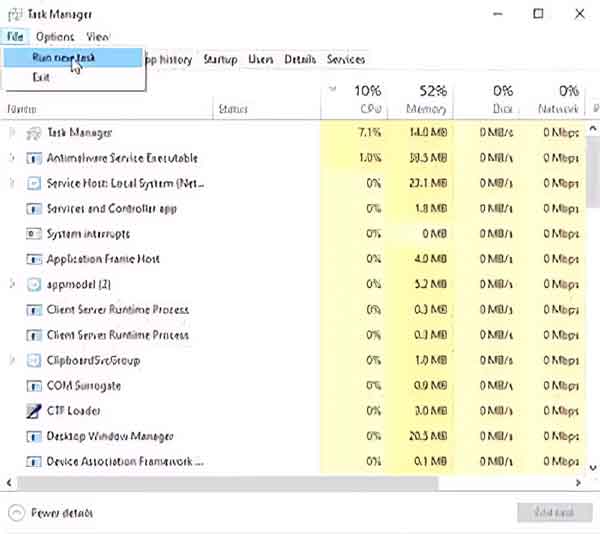
- In the upper left-hand corner of Task Manager, left-click on File, then Run new task.
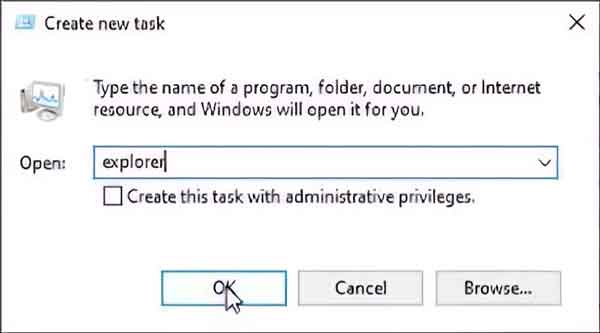
- In the Create new task form that appears, type in Explorer and left-click on OK.
- The Desktop, Start menu, and Taskbar will now appear.
33217df7-15c5-4981-9b16-db081dc9c71e|0|.0|96d5b379-7e1d-4dac-a6ba-1e50db561b04