When it comes to editing text-based files, everyone has used Windows built-in text editor Notepad. But it is pretty basic and has very few features. If you are looking for a program that can do more than edit text files, take a look at Notepad++.
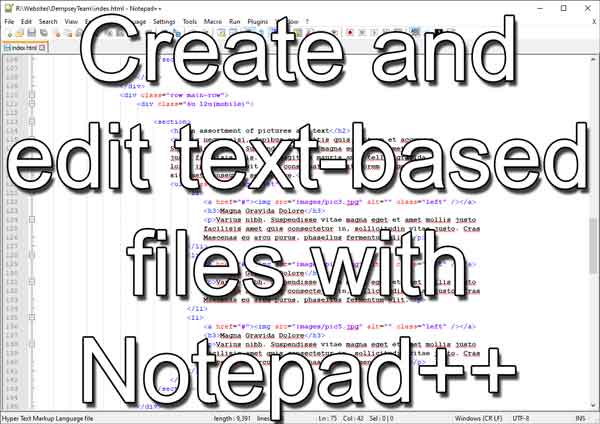
Notepad++ (Notepad plus plus) is a text/code editor based on the open-source editing component Scintilla and can be customized to a user's needs. It has an impressive list of built-in features like syntax highlighting, code folding, and extensive find and replace functions.
It includes support for over seventy (70) programming languages like HTML, JavaScript, and Visual Basic. Notepad++ can also record macros so that it can speed those repetitive commands.
Now one of the great features of Notepad++ is its customizability. You can completely change the way it looks and feels, from the font used to the background color; you can make it just the way you like it.
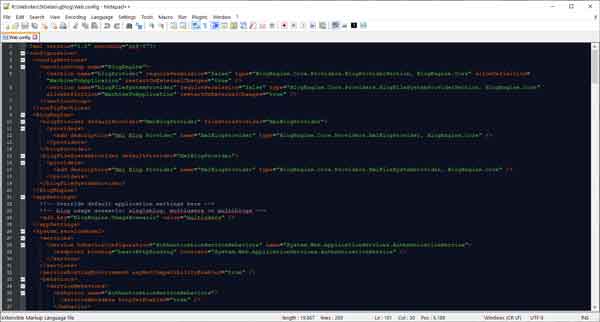
Notepad++ with the black board theme
You can edit the shortcuts for the pull-down menus, macros, run commands, plugin commands, and Scintilla commands with the shortcut mapper. You can even edit the right-click context menu.
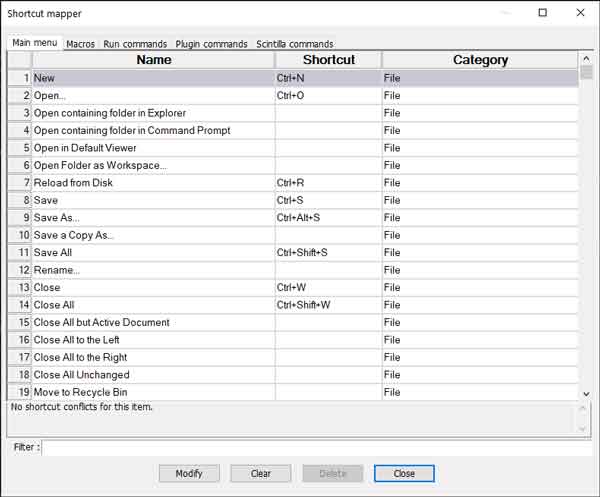
Notepad++ shortcut mapper
But the best feature is the extension capacity using third-party plugins. Over 90 (ninety) plugins are available for Notepad++, including all sorts of coding tools and a spell checker.
Notepad++ comes in both 32 and 64-bit versions, and there are two ways to install it; the automatic installer or the portable stand-alone version. You can even modify the registry and use Notepad++ instead of Notepad, but you will have to go through the user manual to find the code.
And the best thing about Notepad++ is that it is free, but you can donate to the author to help support future releases. For more information on Notepad++, follow the link below.
Notepad++
48e75e95-b10e-4761-bd9e-22d4594411c5|1|5.0|96d5b379-7e1d-4dac-a6ba-1e50db561b04