Updated July 23, 2023
Are you looking for a program that tells you what apps are starting when you start up Windows? Or a presentation app for zooming and drawing on your screen? How about one you can use to find out what files, registry keys, etc., are currently open? These are a few of the free utilities included in the Sysinternals Suite by Mark Russinovich and from Microsoft.
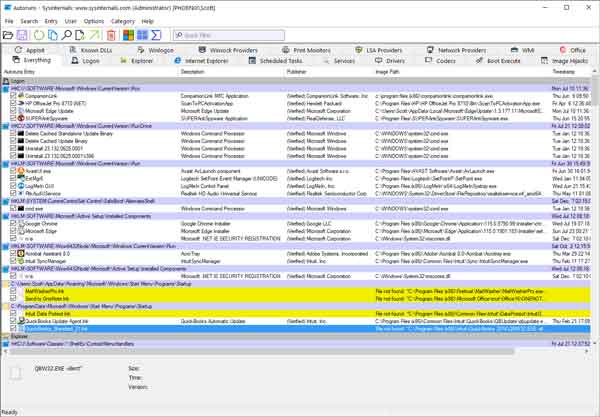
The Autoruns program from the Sysinternals Suite
Sysinternals Suite is a collection of handy utilities for Windows. I have been using them since Windows 95. From an everyday user to a computer repair technician, you will find these utilities indispensable. There are currently over seventy utilities included in the Sysinternals Suite.
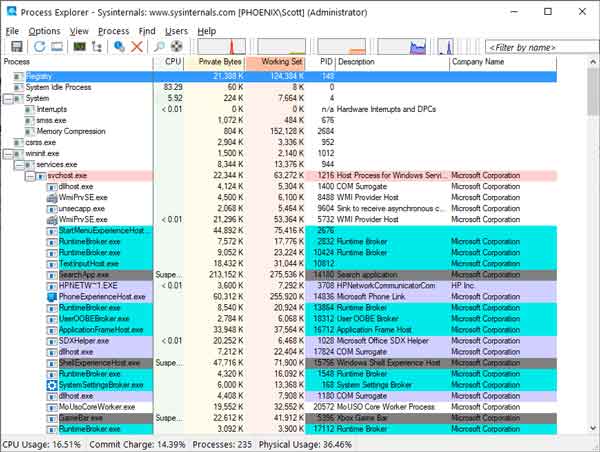
The Process Explorer program from the Sysinternals Suite
For the everyday user, there are Autoruns, Desktops, and ZoomIt. With Autoruns, you can see what programs are configured to start when your system boots automatically. Desktops allow you to create up to four virtual desktops and switch between them. And with the presentation app ZoomIt, you can zoom in/out and draw on the screen.
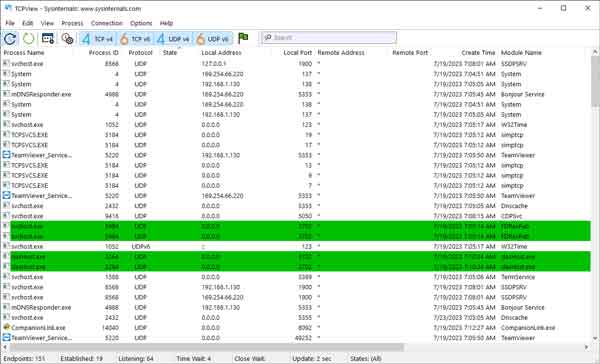
The TCPView program from the Sysinternals Suite
For the computer repair technician, there is Process Explorer, Process Monitor, and TCPView. With Process Explorer, you can see what files and folders a program has open. Process Monitor is a real-time monitoring tool that provides detailed information (PIDs, path, etc.) for files, registry, and processes. And TCPView gives you a detailed listing of all network endpoints, local and remote, with addresses and port numbers.
For more information on Sysinternals Suite and all the free utilities included, check out the Sysinternals Utilities Index. To download the Sysinternals Suite, click on either of the following links.
Sysinternals Suite - Microsoft website
Sysinternals Suite - Microsoft Store
3d259ca4-d675-427f-af6b-f55ad531412f|1|5.0|96d5b379-7e1d-4dac-a6ba-1e50db561b04